On this page
- What radio taught me about last-click attribution
- What I’m really asking when I ask for ROI
- ROI vs ROAS, CAC and cost efficiency
- The influencer marketing ROI formula, with complete costs
- Free influencer ROI calculator
- One customer can appear in several reports
- How I combine promo codes, UTMs and HDYHAU
- What changed after we listened to the customers
- What I trust when the evidence disagrees
- What I show leadership before an ROI number is useful
- What is a good influencer marketing ROI?
- Keep a record you can make the next decision from
- FAQ
What radio taught me about last-click attribution
When I worked at a fintech company, digital tracking showed that Google Ads were driving signups. But when we checked our How Did You Hear About Us responses, customers often mentioned radio instead.
Customers said they heard about our product on the radio, which matched our radio campaigns. Because signing up was simple, people could hear about us, search for us, and sign up right away.
This led us to change our approach. We focused more on radio, tried other channels, and updated our reports. Instead of relying only on digital attribution, we started paying attention to what customers told us.
Marketing channels often work together, but it’s easy to focus on the one that looks best in reports. This experience taught me that the channel with the last click isn’t always the one that first got someone interested.
I notice the same pattern in creator marketing. If someone watches a creator, then searches for us and clicks an ad later, I don’t want the last click to take all the credit for the earlier work.
What I’m really asking when I ask for ROI
When I ask about influencer marketing ROI, I want to know how well our marketing is helping the business grow. How much are we spending? What are we getting back? How quickly can we recover that investment and put it to work again?
A channel might be cheap and efficient, but too small to support our next stage of growth. If it only reaches a small audience, improving its conversion rate might not solve the bigger problem. That’s why I look at the big picture first. Is our customer acquisition cost good for the business? Are we bringing in enough customers? Can we scale up without the numbers falling apart?
Then I look at evidence from each channel to see what’s driving the results. I care about how channels work together, not just which one claims the most sales.
ROI vs ROAS, CAC and cost efficiency
I see ROAS as a more specific question about ad spend, while ROI looks at the bigger investment. In a creator program, that means including production, tools, and our team’s time, not just the creator fee.
CAC is the metric I always return to when we look at acquisition. How much are we spending to get a new customer, and does that make sense for our business?
These terms are helpful as long as we’re clear about how we calculate them.
ROI
- The calculation or evidence
- (Return − total investment) ÷ total investment × 100
- What I use it to decide
- Whether the return justifies the full program cost. I state whether the return is revenue or a margin-aware value.
ROAS
- The calculation or evidence
- Attributed revenue ÷ advertising spend
- What I use it to decide
- How advertising spend is performing under the report’s attribution rules.
Overall CAC
- The calculation or evidence
- Acquisition spend ÷ new customers acquired
- What I use it to decide
- Whether the combined acquisition effort is affordable and can support more growth.
Cost efficiency
- The calculation or evidence
- Measures such as CPM, CPE and cost per signup
- What I use it to decide
- Where delivery or response is becoming expensive, and what needs a closer look.
Contribution and evidence of influence
- The calculation or evidence
- Customer answers, tracked journeys, campaign timing and other supporting signals
- What I use it to decide
- Which activities appear to be helping the wider result, even when they don’t receive the last click.
| Measure | The calculation or evidence | What I use it to decide |
|---|---|---|
| ROI | (Return − total investment) ÷ total investment × 100 | Whether the return justifies the full program cost. I state whether the return is revenue or a margin-aware value. |
| ROAS | Attributed revenue ÷ advertising spend | How advertising spend is performing under the report’s attribution rules. |
| Overall CAC | Acquisition spend ÷ new customers acquired | Whether the combined acquisition effort is affordable and can support more growth. |
| Cost efficiency | Measures such as CPM, CPE and cost per signup | Where delivery or response is becoming expensive, and what needs a closer look. |
| Contribution and evidence of influence | Customer answers, tracked journeys, campaign timing and other supporting signals | Which activities appear to be helping the wider result, even when they don’t receive the last click. |
If I include all program costs, I call that a revenue-to-cost ratio instead of ROAS. If I use contribution profit as the return, I mean the money left after the relevant variable costs, before subtracting the program cost in the ROI calculation. I don’t want to count the same cost twice.
I usually start with the overall marketing picture instead of a detailed churn analysis for every creator. But if we’re attracting the right people and they aren’t staying, I want to know why. That could be a product or onboarding issue, not just a reason to blame the channel.
The influencer marketing ROI formula, with complete costs
ROI % = (Return assigned to the program − Total program cost) ÷ Total program cost × 100
The math is simple. The real work is deciding what counts as a cost and what we mean by return.
Take a simple example: we pay creators $10,000, spend $2,000 on production and allocate $3,000 of staff time. We record $3,000 in sales associated with that work.
Creator fees
- $10,000
Production
- $2,000
Staff time
- $3,000
Total program cost
- $15,000
Associated sales in the measurement period
- $3,000
Revenue-to-cost ratio
- 0.2x
Revenue-based ROI
- −80%
| Input | Amount |
|---|---|
| Creator fees | $10,000 |
| Production | $2,000 |
| Staff time | $3,000 |
| Total program cost | $15,000 |
| Associated sales in the measurement period | $3,000 |
| Revenue-to-cost ratio | 0.2x |
| Revenue-based ROI | −80% |
($3,000 − $15,000) ÷ $15,000 × 100 = −80%
With those numbers, the sales didn’t cover the program cost. I won’t try to make it look better by ignoring staff time or production costs.
That’s a revenue-based result for the period, not net profit. To check profitability, I also need to know the margin on those sales. Even if sales are higher than marketing spend, product costs, refunds, and other expenses can affect the outcome.
For a recurring-revenue business, I make sure to clarify whether we’re looking at the first payment, revenue over time, or expected customer value. I don’t compare one creator’s first-month revenue to another’s projected lifetime value.
Depending on the program, I also include gifted products, shipping, commissions, licensing, paid promotion, agency fees, and software. My guide on influencer payments covers the costs and terms I want agreed on from the start.
Free influencer ROI calculator
Use the calculator to check your full campaign cost, number of conversions, and value per conversion. In the example above, $15,000 spent, 30 conversions, and $100 per conversion give $3,000 in return and a revenue-based ROI of −80%.
If you want profit or contribution profit, enter that value per conversion instead. The calculator doesn’t apply your margin, refunds, or business costs for you. It just calculates from the numbers you enter.
Return on investment
134%
- Attributed return
- $11,700
- Return minus spend
- $6,700
- Return / spend
- 2.34x
Use revenue per conversion for a revenue-based ROI, or profit per conversion if you want to include margins.
One customer can appear in several reports
For example, if someone sees a creator’s content, later clicks a Google ad, uses the creator’s promo code, and mentions that creator in HDYHAU, I have several useful clues, but it’s still just one customer.
I keep the evidence separate. The digital report shows the tracked path. The promo code shows which offer they used. Their answer tells me what they remember. I don’t add up those totals and pretend it’s three customers or three sets of revenue.
Overall, I count the customer once and look at the acquisition spend. Then I use the separate reports to see which parts of the setup are working together.
If our systems let us match the same customer or order, we can use that to remove duplicates. If not, I keep the source totals separate instead of pretending their sum is a deduplicated result.
That’s why I look at the whole system. I don’t need to assign a percentage of the sale to each touchpoint to make a better decision about the next budget.
How I combine promo codes, UTMs and HDYHAU
I see these as different pieces of the puzzle. They tell me about different parts of the funnel, so I want to know what each one can show.
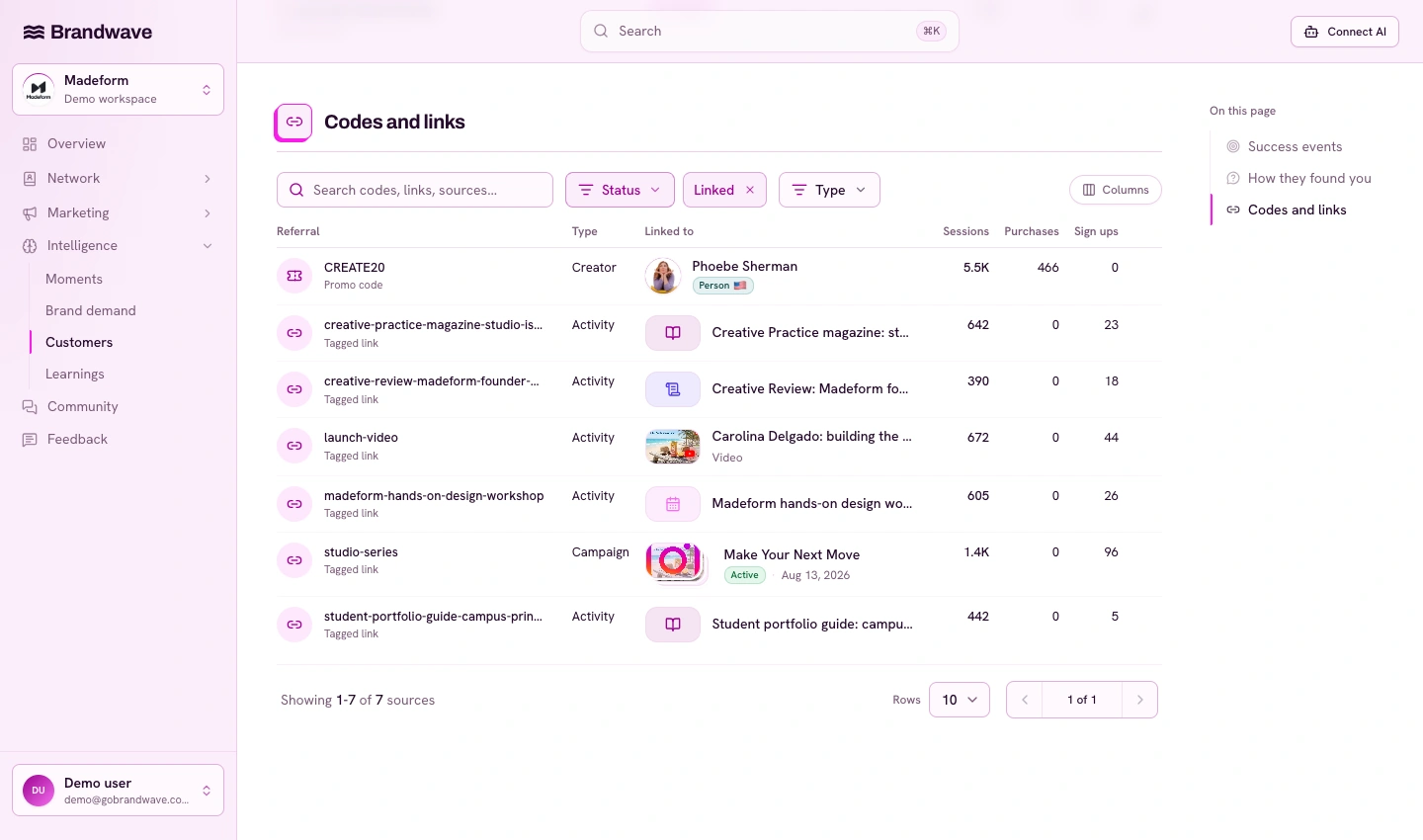
UTM-tagged traffic shows if a creator is bringing people to the site, even if they haven’t signed up yet. Promo codes show sales from a specific offer. HDYHAU, or How Did You Hear About Us, gives me the customer’s answer when we ask them directly.
Branded search is another helpful signal. When people are searching for us by name, it shows demand we’re building, especially when I compare it with campaign timing, site activity, and customer feedback.
I don’t need to turn every signal into revenue. I want to see how interest leads to traffic, how traffic becomes customers, and where our spending helps make that happen.
Creator content and engagement
- What I look for
- Whether the right people are responding and what they’re saying
- What I don’t assume
- That every view or interaction represents purchase intent
UTMs and referral traffic
- What I look for
- Which tracked sources bring people to the site and what they do next
- What I don’t assume
- That the arrival channel created all the interest
Promo codes
- What I look for
- Orders or outcomes recorded against the creator’s offer
- What I don’t assume
- That these are additional to every sale in the analytics report
HDYHAU
- What I look for
- What customers remember hearing about us from
- What I don’t assume
- That the answer describes every touchpoint in their journey
Branded search and sales movement
- What I look for
- Demand and outcomes moving around the time activity ran
- What I don’t assume
- That the creator was the only thing happening in the market
| Evidence | What I look for | What I don’t assume |
|---|---|---|
| Creator content and engagement | Whether the right people are responding and what they’re saying | That every view or interaction represents purchase intent |
| UTMs and referral traffic | Which tracked sources bring people to the site and what they do next | That the arrival channel created all the interest |
| Promo codes | Orders or outcomes recorded against the creator’s offer | That these are additional to every sale in the analytics report |
| HDYHAU | What customers remember hearing about us from | That the answer describes every touchpoint in their journey |
| Branded search and sales movement | Demand and outcomes moving around the time activity ran | That the creator was the only thing happening in the market |
I set up promo codes and UTM tracking before launch and collect HDYHAU answers when the success event happens. This way, I have useful data to compare with the next campaign, instead of trying to piece it together later.
What changed after we listened to the customers
In the fintech example, seeing radio in customer answers didn’t make Google Ads unimportant. It showed us that each channel played a different role.
We invested more in radio and looked for other ways to create similar demand. We also changed how we measured efficiency. We kept digital tracking in the report, but added HDYHAU and looked at acquisition costs with a broader view.
I’ve seen businesses use overall CAC as the main way to check if a strategy works. Once it’s at a level the business can handle, you look for which parts can grow and which combinations are worth more investment.
To me, this is more useful than trying to optimize every channel separately. A conversion channel might look great because another channel already got people interested.
What I trust when the evidence disagrees
My experience gives me a starting point. I’ve worked with enough channels and strategies to have a sense of what might work. I use that to decide what to test, not to guarantee a result.
Then I look for evidence. Are people responding? Is the activity bringing in the right traffic? What are customers saying? Can I spot a pattern in digital tracking, codes, or HDYHAU answers? Is that leading to affordable customer acquisition overall?
I trust patterns that show up across different sources more than a single exciting metric. I also check what each source is actually measuring. Two reports might disagree about credit, but both can still give me useful information.
I’ve worked with creators who seemed like a great fit and were enthusiastic, but the numbers didn’t show traffic or conversions. In one case, the partnership had lasted a long time and had simply run its course. They weren’t helping us grow anymore.
That was a reason to shift our investment. A good relationship and a strong first impression don’t mean I should keep paying for the same work forever.
What I show leadership before an ROI number is useful
At the start of a program, it’s often a mistake to think one ROI number tells the whole story. We’re paying to learn, find the right people, and figure out what we can repeat. The first version is often the most expensive.
I still show the spend and the results we have. But I also explain what we’ve learned about audience fit, whether there’s room to scale, and what I want to test next.
Maybe the creator reaches the right customers, but people aren’t signing up. That makes me question the offer, the landing page, or the product. Maybe people are signing up and staying. Maybe the relationship brings other benefits. I want to understand these things before reducing the decision to just a percentage.
The same goes for when pricing changes or a channel stops working and we need a new source of growth. I don’t expect a new channel to be as efficient as a mature one right away.
I don’t use learning as a permanent excuse. I explain the next test, what evidence would justify continuing, and when we’ll review it. If we keep getting neither useful traffic nor conversions, I know it’s time to change the approach.
My influencer marketing dashboard guide covers how I put the numbers and the decision together for leadership.
What is a good influencer marketing ROI?
For me, a good result helps the business grow in a way we can sustain. I want the return, the scale, and the speed of getting our investment back to all make sense together.
I don’t compare a small campaign with a high percentage return to a larger program without thinking about how much each can grow. I also don’t judge work meant to build demand as if it should close every sale right away.
I set the goal first, using the influencer marketing measurement framework, then choose the evidence that fits it.
- Awareness: are we reaching a relevant audience and building interest we can develop?
- Consideration: are the right people engaging, visiting and showing us that the product matters to them?
- Conversion: are we acquiring customers at a cost the business can support, with enough volume to matter?
I compare similar campaigns over the same time periods, include the same costs, and keep the return basis consistent. Then I can decide what to repeat, what to change, and where the program has reached its limit.
Keep a record you can make the next decision from
The practical problem is that all this information is often scattered. Creator fees are in one file, content performance in another, customer answers somewhere else, and the reason for the campaign might just be in someone’s head.
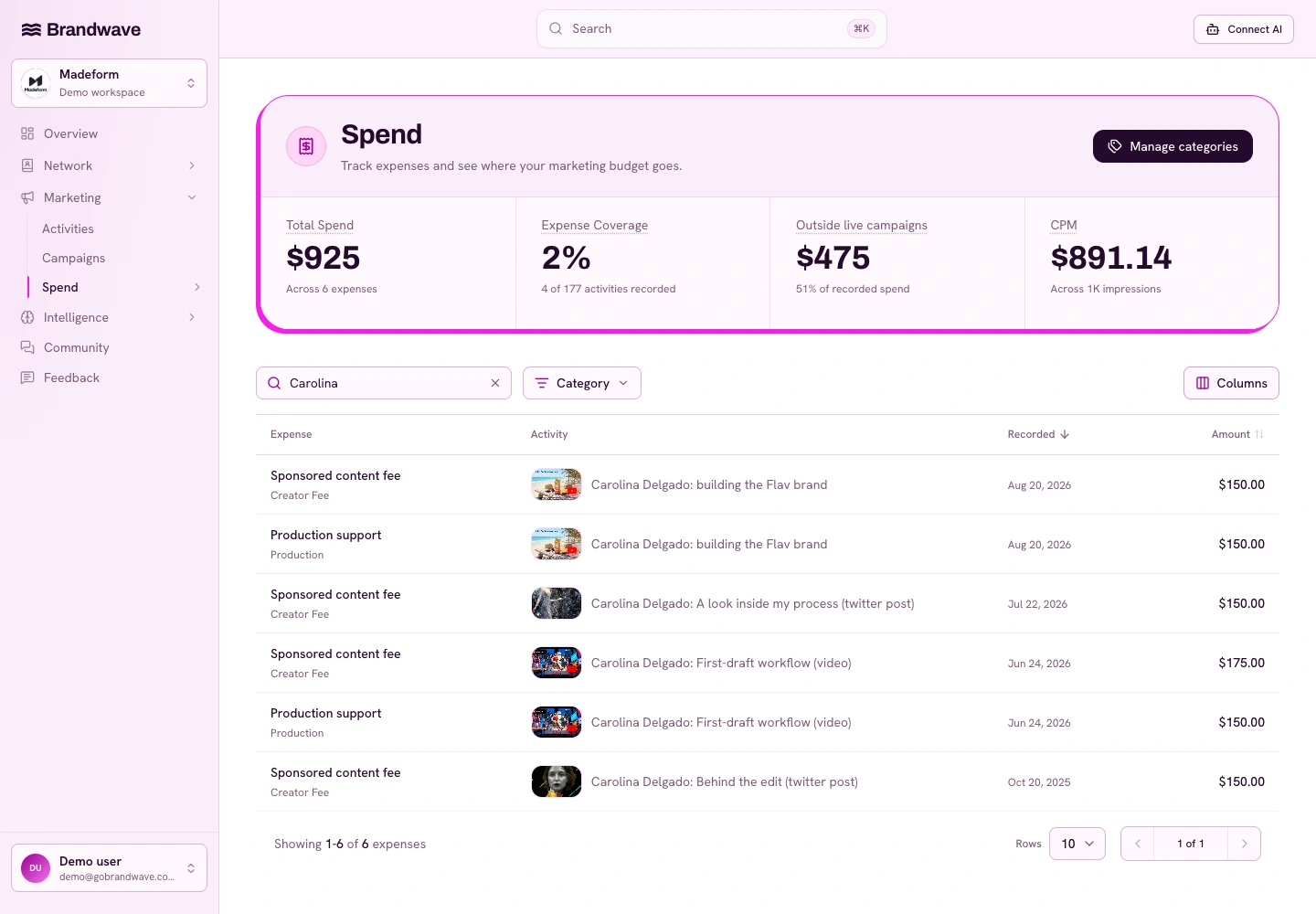
That’s why we built Brandwave’s creator marketing tools to keep everything connected: creators, activities, campaigns, costs, performance history, and results. I want all the information in one place so I can ask better questions, not just see another score that hides how it was calculated.
For a smaller program, the free influencer reporting template is a good place to start. Keep the costs, measurement window, and source of each result with the report. If you use an AI assistant to help analyze it, the same Brandwave records are available through our MCP server.
I don’t need perfect attribution to make a decision. I need a clear view of the numbers, enough evidence to see what’s working together, and the willingness to change my mind if the results no longer support the investment.
FAQ
Sources
- Google Ads Help: Return on investment (ROI) (support.google.com)
- Google Analytics Help: Get started with attribution (support.google.com)

Get the next article by email
Drop us your email and we'll let you know when we publish a new article.
By continuing you'll get an email for each new article and occasional product news from Brandwave. Unsubscribe any time. Privacy